Showing posts with label Unigraphics. Show all posts

01 May 2010

3D Document Publishing from TransMagic

One of the sometimes overlooked (this author included) features of TransMagic 3D CAD translation software is its free 3D model viewer. TransMagic read and write a number of file formats using native libraries - CATIA, SolidWorks, JT, Siemens NX / Unigraphics, Autodesk Inventor, Pro/ENGINEER - as well as neutral formats like STEP, IGES & STL - the advantage being native, reliable 3D CAD translation between high-end CAD systems of very good quality. However what should be done to share a CAD file with a client or colleague who has no 3D CAD system at all?

Enter TransMagic's 3D web page publishing feature. This video briefly demonstrates using TransMagic to publish a STEP file to HTML and open with Windows Internet Explorer.

Saving a CAD model or assembly as an HTML page from TransMagic will create (at least) two linked files using the file name given - one HTML file which can be loaded from Windows Internet Explorer & an associated HOOPS ".hsf" file containing the actual 3D parts which use the HTML as a "container". Simply, zip or unzip both files together, upload send in email or save to the same hard disk (or server) location and open the HTML from Internet Explorer with the .HSF file present in the same directory. You can view this video's actual HTML page for yourself HERE.

Of course, HTML code can be edited to change colors, add a company logo or product information and web links as desired - so it is far more effective in making product presentations than a binary viewer - and transmits far more successfully in email. It also adds the possibility (perhaps also using TransMagic's batch-convert option) to publish 3D part catalogs on a website that visitors can navigate and "inspect" in real time 3D.

For Australia and New Zealand, TransMagic can be downloaded locally from CADDIT. From other lands, please refer to http://www.transmagic.com/.

28 December 2009

TransMagic R8 sp3 Released in Australia through CADDIT

Vendor-neutral design collaboration over the network, CAD model repair and healing, cross-platform solid model translation, model analysis and measurement, batch translation, perspective rendering - these are just a few features enhanced by the latest release of TransMagic in Australia / New Zealand by CADDIT. TransMagic converts CATIA, SolidWorks, Unigraphics, JT, Pro/ENGINEER, Inventor and many other 3D formats.
TransMagic R8 sp3 enhancements include:
  • TransMagic is now fully supported on both Intel 64-bit and Windows 7 systems.
  • Drastically improved rendering performance for re-rendering geometry changes. The rendering engine now intelligently determines only what has changed and re-renders only that vs. re-rendering the entire scene after small changes.
  • New "Show Un-Repaired Geometry" dialog that gets launched when appropriately during the Auto-Repair Wizard
  • TransMagic now offers two different methods for stock size calculation "bounding box" - precise and fast.
  • CATIA V5 Environment now created on a per user account basis - allows any account type to establish the TM V5 Environment automatically without any user rights issue.
  • Siemens Unigraphics JT Facet Resolution can now be one of five settings for "normal deviation" and correspond to the following settings: Lowest accuracy (fastest) = 45 degrees, Low = 30 degrees, Normal = 15 degrees, High = 10 degrees, Highest accuracy (slowest) = 5 degrees
  • Added JT assembly output types: Single File Assembly Entire assembly in one file. Typical Assembly Assembly JT files + part JT files. Typical Assembly w/Directory Typical assembly JT file + directory. All Assembly Files Each assembly is a JT file including parts.
  • Upgraded to JT Open 5.3.
  • More enhancements to stability, speed, command-line interface and batch mode CAD file translations.

autocad CATIA Inventor JT Unigraphics ProE 3d files

TransMagic native 64-Bit permanently changes the landscape for large CAD file translation by solving this common manufacturing problem. TransMagic reports that the new platform offers 10-20% better performance and a tremendous increase in CAD software file size capability. Translating multi-gigabyte files on a single computer is now a reality, with TransMagic 64-Bit.

TransMagic users with active maintenance can upgrade to SP3 free of charge. TransMagic 8 sp3 can be downloaded directly from CADDIT in Australia HERE. CADDIT can be contacted about options for TransMagic 64-bit, batch mode and command-line translation enterprise solutions HERE.

26 February 2009

Can TransMagic Really Help Solve 3D CAD Translation Problems?

Recent economics have spawned an increasing need for business to adapt in new markets. And new markets often require companies to read new 3D CAD file formats - but "total cost of ownership" for maintaining additional CAD environments can be costly and time consuming. TransMagic is central, easy-to-use 3D collaboration software for reliably sharing CAD files across multiple CAD programs. TransMagic saves companies time, effort and money by offering a better option than budgeting and maintaining several independent CAD environments.

TransMagic software translates CAD information directly from one modeling technology to another, supporting direct ACIS, ParaSolid *.x_t, CATIA V4 & V5, Unigraphics JT and more, preventing data loss. TransMagic's functionality extends far beyond any basic 3D model translator, with robust tools like "Gap Check" and "MagicSurface". TransMagic repairs model gaps, heals unstitched surfaces and automates much of the rework that often comes with basic STEP and IGES file exchange.

Superlift, one of the largest suspension companies in the off-road market, is one manufacturer using TransMagic to save time. "TransMagic has made it possible to open any neutral or native CAD file we receive, quickly isolate, repair and retrieve what we need," said Kevin Dill, Product Development Lead Engineer for Superlift. "Repairing damaged files and grouping what we need prior to importing has saved us lots of time. Our time is now better spent working with clean, manageable files that we can rely on as we design new products."

ZEMAX Development Corporation, developers of ZEMAX optical system design software, had a similar problem. "Our customers struggle with the handover between mechanical and optical engineering – they are optical engineers and not experts in CAD. Mechanical CAD packages are three orders of magnitude coarser resolution than what is needed for optical design and errors in mechanical designs may not be apparent in the CAD package," says Mark Nicholson, Vice-President, ZEMAX Development Corporation. "TransMagic is able to simply explain what is wrong with a badly-formed CAD file and then easily repair the file with a high resolution before importing into ZEMAX. CAD files repaired by TransMagic are imported into ZEMAX with no problems."

An independent review of TransMagic was recently written by Frank Sherosky of the Detroit Automotive Technology Examiner. In part he writes, "TransMagic appears good for suppliers, because it reads proprietary CAD files in their native formats. (While the operative word is "read," I'm also concerned with "write.") That alone makes for higher data-read integrity, not to mention same-day implementation. Furthermore, the company touts the system is scalable, meaning suppliers can buy value-priced suites and add more capabilities at a later time."
The full review can be read HERE.

For more information about if TransMagic can help your business, you can
contact us on this page.

03 February 2009

Video Overview of T-FLEX CAD Parametric Feature Tree

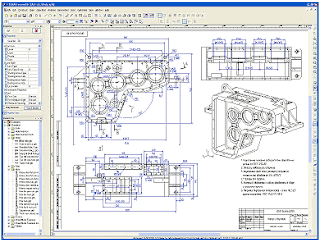
T-FLEX CAD CAM is a low cost PLM suite of mechanical design software which allows users to quickly create finished products and large moving assemblies with complex shapes and surfaces. A standard feature of parametric 3D CAD software is the feature tree which allows you to "browse" and change selected features from any point in the design history of a 3D model. The following short video offers an overview of the T-FLEX CAD 3D Parametric Feature Tree panel:


T-FLEX CAD is high-end PLM software like Pro Engineer, Unigraphics and CATIA but priced at a fraction of the cost. Although inexpensive upgrade options are available, every T-FLEX license is permanent and does not require anula subscription fees to continue working. CAD Designers are encouraged to download and try T-FLEX CAD CAM for themselves free for thirty days from CADDIT.net.

T-FLEX PLM Design Solutions

24 June 2008

TransMagic R7 SP2 3D CAD Conversion Software Released

TransMagic Inc has announced the public release of TransMagic R7 SP2 CAD viewer and conversion software for CATIA, Pro Engineer, Autodesk Inventor, SolidWorks, Unigraphics and other systems. New features and enhancements include:

New CAD Version Support
• JT Read/Write Add-on (Visualization and B-Rep)

Updated CAD Version Support
• CATIA V5 R18
• ACIS R18
• SolidWorks 2008
• Inventor 2009

New Usability Features
• Multi-Thread Technology
• PMI Official Release
• Inventor 2009 Certification
• High Resolution Image Capabilities
• Extended CATIA V5 Write Options
• Extended SolidWorks Read Options
• Optional Long File Name Trimming
• Split Window Views
• Batch Translator Enhancements


More information about TransMagic for Converting CAD files is available on the CADDIT website.

08 February 2008

CADDIT Australia to sell TransMagic 3D CAD Translators

Sydney Australia, February 05 2008 – CADDIT announced a new partnership to distribute 3D translation technology for TransMagic, Inc. CADDIT is now the national distributor for all TransMagic “plug-in”, desktop and workgroup solutions for CAD viewing, markup and translation. The agreement between TransMagic, Inc and CADDIT Pty Ltd benefits Australian companies that receive CAD files from different systems, but lack either the licenses or expertise “in house” to reliably read them all.

See http://www.caddit.net/press/pressRelease-TransMagic-CADDIT.pdf for the full announcement.
Google.