Showing posts with label free. Show all posts

24 February 2016

progeCAD 2017 Free Upgrade and Preview

progeCAD has long stood as the default "professional" low-cost AutoCAD alternative software option. progeCAD offers and affordable perpetual-license alternative for "renting" high-cost AutoCAD access, with the ability to create, read, write and edit native AutoCAD DWG and DXF files fluently using and interface very similar to what AutoCAD users are accustomed.

CADDIT now announces the worldwide offer of free upgrades to progeCAD 2017 of equivalent type for all progeCAD 2016 licenses and upgrades paid for on or after 24 February 2016. This means that a purchase of progeCAD 2016 USB will also get a free upgrade to 2017 USB at no extra cost, an upgrade from progeCAD 2014 to 2016 will also get 2017 upgrade at no extra cost, and so forth. Upgrades will be distributed during the first few weeks after the global release announcement of progeCAD 2017 on the CAD Software Blog and on CADDIT.net. This free upgrade offer applies to ENGLISH language license purchase only, and will continue until the release of progeCAD 2017, on CADDIT.net.

progeCAD 2017 represents the most exciting release of progeCAD to date, offering one fell swoop of general improvements, including:
NATIVE 64-bit version with theoretical memory limit of 16-terabytes for x64 PC architecture, Windows tuning model (8 terabytes "User" and 8 terabytes "Kernel"). This means ability to edit vastly larger DWG drawing files than under the previous 32-bit architecture. progeCAD no longer supports 32-bit as of 2017 release. New RIBBON-BASED INTERFACE option. Users now have the choice between ribbon, toolbar, both or neither. Updated status bar, with icons and new features. Improved memory management and hardware graphics acceleration (OpenGL), again increasing stability and drawing speed. Multi-core support for opening and regenerating files, which provides 1.5 to 3 times performance improvement on multi-core computers (er.. well, we hope that is most of us by now..) Other platform improvements include: Support for "workspaces", .NET API with user drawing interaction support (AutoCAD compatible), vastly improved Microstation DGN format read support, AutoCAD .CUI menu support and many other general platform improvements.


Here is our FIRST SNEAK PEAK of this new platform (in beta testing):

New progeCAD 2017 64-bit multicore with ribbon UI from CADDIT.

progeCAD 2017 will also deliver DOZENS of new commands and variables to be used. At this point these new functions are to include: BCOUNT, XOPEN, XPLODE, POLYSOLID, POINTCLOUDATTACH, SETBYLAYER, PRINTTRANSPARENCY, TABLESTYLE, Layer-walking and many more. Significant changes and improvements have also been made on QSELECT, PURGE, LOFT, CUSTOMIZE, AUTOCOMPLETE and many others.

To benefit from this free upgrade offer, simply buy progeCAD 2016 (English) on the CADDIT.net website. After the 2017 release, free upgrades will be sent to all progeCAD customers with orders paid on or after 24 February 2016. At a time agreeable to the user, the progeCAD 2016 serial key will be replaced with a progeCAD 2017 serial key and a new download link will be sent for the software, similar to how has been done in past years. The free upgrade will apply to all new progeCAD Professional, progeCAD USB and company Network licenses purchased on or after 24 February. New dongles will not be required for the progeCAD USB upgrade. Free upgrades will also be sent to any users now purchasing a progeCAD 2016 upgrade for an existing seat of progeCAD 2010, 2011, etc. Promotion does not apply to OEM repackaging. This promotion will last until the day that progeCAD 2017 release is announced on this website.

To try progeCAD free for a month, progeCAD 2016 can be downloaded HERE. For questions about this free 2017 promotion please contact CADDIT here.

24 December 2014

Free Upgrade for progeCAD 2016 For Purchases After 15 December

CADDIT announces the worldwide offer of free upgrades to progeCAD 2016 of equivalent type for all progeCAD 2014 licenses and upgrades paid for on or after 15 December 2014. This means that a purchase of progeCAD 2014 USB will also get a free upgrade to 2016 USB at no extra cost, an upgrade from progeCAD 2011 to 2014 will also get 2016 upgrade at no extra cost, and so forth. Upgrades will be distributed during the first few weeks after the global release announcement of progeCAD 2016 on the CAD Software Blog and on CADDIT.net. This free upgrade offer applies to ENGLISH language license purchase only, and will continue until the release of progeCAD 2016 on CADDIT.net.

progeCAD 2016 will offer a more dynamic interface while continuing to improve performance, add new features and fixes. Expected features will include Dynamic Input (Dynamic Input provides real-time input fields at the actual cursor location for certain commands, etc), dynamic UCS and 2D planes as well as supporting Z axis 3D ortho mode and "grips" for dynamic editing ACIS solids in real-time. progeCAD will also support Annotative Objects and Styles, which automatically adjust the size and scale at which annotation objects are displayed in model space or a layout similar to newer versions of AutoCAD. Many other improvements will be provided as well, and a more comprehensive list will follow. progeCAD 2016 will also be the new supported version then going forward after release.


To benefit from this free upgrade offer, simply place any progeCAD 2014 English order on the CADDIT.net website. After the 2016 release, free upgrades will be sent to all progeCAD customers with orders paid on or after 15 December 2014. The progeCAD 2014 serial key will be replaced with a progeCAD 2016 serial key and a new download link will be sent for the software, similar to how has been done in past years. The free upgrade will apply to all new progeCAD Professional, progeCAD USB and Floating Network licenses purchased on or after 15 December. New dongles will not be required for the progeCAD USB upgrade. Free upgrades will also be sent to any users now purchasing a progeCAD 2014 upgrade for an existing seat of progeCAD 2008, 2009, etc. This promotion will last until the day that progeCAD 2016 release is announced on this website.

For more information about this free 2016 promotion please contact CADDIT here.

13 August 2012

progeCAD 2013 Free Upgrade Offer - Begins 15 August 2012

Sydney, Australia 13 August 2012 - CADDIT announces a global free upgrade offer for all new and upgrade purchases of progeCAD Professional 2011 from CADDIT.net. The free upgrade will be for the upcoming progeCAD Professional 2013 version, after its release. progeCAD 2013 is currently scheduled for release in the next few months. progeCAD 2013 is the first release to have IntelliCAD 7 technology included in the end-user version. Along with this new technology, several new progeCAD features are planned:
  • PC3 plotter configuration file support
  • New Print Style Manager Interface
  • New Printing / Plotting Interface
  • AEC visualization (AutoCAD Architectural Desktop objects)
  • STL (mesh) and DAE file export
  • New Dimension Style Manager Interface
  • Advanced Spline Editing
  • New wireframe "HELIX" command
  • New ACIS Solid "LOFT" command
  • CAD Underlays of PDF, DWF and DGN files
  • Microstation DGN File Import (selected versions, as underlay)
  • New LMAN (Layer Manager)
  • Improved Purge command
  • Multigrip editing
  • New overall GUI style
  • Windows 8 Support
  • AutoCAD DWG 2013 file format support
Here it is - the very first sneak peek of progeCAD 2013 :)


Lower level enhancements of progeCAD 2013 include the use of several new developer languages (APIs) in progeCAD: true DRX and IRX application support with VBA and VSTA object models for prototype applications, while still supporting legacy SDS and AutoLISP languages making the new progeCAD 2013 an excellent foudation for specialized CAD application development.

The progeCAD 2013 free upgrade promotion begins 15 August 2012 AEST (Australia Sydney Time) for all new full and upgrade orders placed for progeCAD Professional 2011 version (current) ENGLISH LANGUAGE ONLY - including progeCAD Pro, progeCAD USB, progeCAD Network NLM and OFFICE licenses. This promotion does not include progeCAD Standard licenses.

For more information visit our website or contact CADDIT.net HERE.

28 September 2010

progeCAD Free to Schools

progeCAD is a powerful but low-cost architectural or mechanical design package, somewhat similar to AutoCAD from Autodesk. progeCAD features include Autodesk's DWG format read/write for all versions of AutoCAD from 2010 and as far back as R11. Most of the basic commands are the same, workflow and interface all follow a similar logic. For years CADDIT Australia has been offering progeCAD Professional annual licenses to schools free of charge. One school in the New South Wales TAFE system wrote of progeCAD:

I personally consider that your company’s provision of this program for academic purposes, free of charge is the best thing that has happened to the CAD industry for a long time... I teach across a number of campuses in the Hunter and am trying to convince other sections to switch over from AutoCAD to ProgeCAD for teaching purposes. The benefits of allowing students to download the program and develop their skills at home at no cost cannot be underestimated, apart from the ethical aspect of positively discouraging the use of pirated AutoCAD software.

CSTC in Queensland Australia writes:


It is an exceptional program in the standards it allows students to apply to drawing - variety of linetypes, lineweights, hatchs patterns etc. We are enjoying using it, our trainees and apprentices appear to like the feel of it. Great program.

A few of CADDIT's academic program subscribers are from outside Australia. One school from overseas writes:

Since we only have a single, one-semester course that uses CAD, this offer CADDIT makes to license ProgeCAD to schools at no charge is a wonderful effort supporting education. Our students are able to gain experience with professional software and several have applied these skills in internships and subsequent educational experiences in vocational/technical programs and college. Without ProgeCAD's support, we would be forced to use some consumer-level software, as it would be extremely difficult to justify spending thousands of dollars to license professional CAD software for a lab that will be used with a single class of students.

Another student used the opportunity to submit a new concept for a local highway intersection to local planning authorities..
progeCAD can be downloaded free of cost HERE. For more information about how progeCAD can be used in your school, visit http://www.caddit.net/progecad/educational.php

07 June 2010

Free Pro/ENGINEER Tryout Edition DVD from CADDIT

A new free PTC Pro/ENGINEER Wildfire DVD software kit is available in Australia for evaluation from CADDIT Australia. This free "Pro/ENGINEER Experience" kit includes an interactive tutorial DVD (disk #1) and an easy-to-register 30 day full evaluation version of Pro/ENGINEER software (disk #2). Pro/ENGINEER is a high-end 3D modelling, manufacturing and simulation PLM (Product Lifecycle Management) platform used in industrial and product design, automotive and aerospace, marine and manufacturing for delivering a total single platform which can scale to meet the needs of any design requirement. Some of the improvements in Pro/ENGINEER Wildfire 5.0 include:
  • Completely new 2D detail drafting environment (this was first revealed on our blog here). The new framework uses the ribbon-like Fluent UI command navigation from Microsoft. Improved plot preview and use of Adobe TrueType fonts in text.
  • New social product development capabilities using Pro/ENGINEER’s brand new ProductPoint® platform, built on Microsoft® SharePoint® to better enable design teams to work together.
  • Enhanced Weld Design - New weld features, symbol annotations, and simulation enhancements enable you to design, document and analyze welded structures. You can analyze weldment models up to 10X faster, shown below:

  • Realtime photo-realistic rendering with raytracing support for shadows and reflections. Pro/ENGINEER Advanced Rendering Extension (ARX) now includes the mental images rendering engine for unsurpassed realism.
  • Machine simulation can drive slot motor components along curves, quickly create belts to account for kinematic and dynamic coupling, analyze dynamic gears, and model 3D contacts. More high-end analysis capabilities with expanded support for heterogeneous units, improvements to icon and label displays, an intuitive dashboard UI for surface and volume regions, and support for materials plasticity.
  • Improved 5-axis CNC machining quickly and easily duplicate tool paths and leverage the process manager for turning operations, such as area turning, grooving and profile turning.
  • Exchange Autodesk Inventor® and SolidWorks® files, including non-geometric data exchange capabilities - you can preserve 3D notes, annotations and metadata in neutral formats. And the new 3D import wizards and usability enhancements for AutobuildZ™ and Import DataDoctor™.
  • Improvements in speed, ease of use, completely new Pro/ENGINEER Spark Analysis and Manikin Extensions, a new "Rib Tool" for plastic part design and many other enhancements...

This DVD kit is a valuable, limited time opportunity for companies to have easy access to the latest parametric CAD design technology in Pro/ENGINEER Wildfire 5. For those interested in data management and the new Social Product Development technology, a chance to work with a live ProductPoint PDM server will also be provided. Special discount prices for Pro/ENGINEER licenses are also available until the end of June.

Australian SME (Small and Medium Enterprise) companies, individual company staff members or management can request this kit from CADDIT HERE (Australia only). In other countries you may need to contact your local PTC partner or contact PTC directly.

01 May 2010

3D Document Publishing from TransMagic

One of the sometimes overlooked (this author included) features of TransMagic 3D CAD translation software is its free 3D model viewer. TransMagic read and write a number of file formats using native libraries - CATIA, SolidWorks, JT, Siemens NX / Unigraphics, Autodesk Inventor, Pro/ENGINEER - as well as neutral formats like STEP, IGES & STL - the advantage being native, reliable 3D CAD translation between high-end CAD systems of very good quality. However what should be done to share a CAD file with a client or colleague who has no 3D CAD system at all?

Enter TransMagic's 3D web page publishing feature. This video briefly demonstrates using TransMagic to publish a STEP file to HTML and open with Windows Internet Explorer.

Saving a CAD model or assembly as an HTML page from TransMagic will create (at least) two linked files using the file name given - one HTML file which can be loaded from Windows Internet Explorer & an associated HOOPS ".hsf" file containing the actual 3D parts which use the HTML as a "container". Simply, zip or unzip both files together, upload send in email or save to the same hard disk (or server) location and open the HTML from Internet Explorer with the .HSF file present in the same directory. You can view this video's actual HTML page for yourself HERE.

Of course, HTML code can be edited to change colors, add a company logo or product information and web links as desired - so it is far more effective in making product presentations than a binary viewer - and transmits far more successfully in email. It also adds the possibility (perhaps also using TransMagic's batch-convert option) to publish 3D part catalogs on a website that visitors can navigate and "inspect" in real time 3D.

For Australia and New Zealand, TransMagic can be downloaded locally from CADDIT. From other lands, please refer to http://www.transmagic.com/.

02 May 2009

Free Second Grabowski eBook "tailoring progeCAD" Available

progeSOFT and partners have released the second bonus for progeCAD users form AutoCAD book author Ralph Gabrowski entitled "tailoring progeCAD". "tailoring progeCAD" is a more in-depth examination of the powerful interfaces progeCAD offers developers and CAD specialists for customization. progeCAD is a low cost compliment to AutoCAD for editing Autodesk DWG files and using a similar interface, but just costing 10% of full version AutoCAD RRP. This free eBook can be downloaded HERE ( $50 value).

"tailoring progeCAD" is the second Grabowski eBook written in partnership with progeSOFT and progeSOFT US. This free CAD eBook is 200 pages and pre-formatted for USA binder printing on A-size paper. Topics covered include customizing the progeCAD user interface, changing progeCAD settings for text, fonts and colors, setting keystroke aliases, writing menus, macros and scripts, DCL, DIESEL and AutoLISP programming and more.

"tailoring progeCAD" is a follow-up for advanced users to the previously announced
"inside progeCAD" which together become a powerful tool in unlocking the full potential of progeCAD.

Publication of "tailoring progeCAD" was funded by progeSOFT as an educational project and may be freely re-distributed among organizations and on the Internet as long as content and copyright remain unchanged.

20 April 2009

Free Ralph Grabowski eBook "inside progeCAD"

This year's progeCAD user bonus arrives early with the release of "inside progeCAD", a free PDF eBook for all progeCAD users. This eBook is written by Ralph Grabowski, well known author of books like "THE ILLUSTRATED AUTOCAD 2008 QUICK REFERENCE". progeCAD is a low cost substitute for AutoCAD for editing Autodesk DWG files and using a similar interface, but just costing 10% of full version AutoCAD RRP. The free eBook can be downloaded HERE completely free ($50 value).

Editing and approval for the publication of "inside progeCAD" was a team effort between Mr. Grabowski, his team, progeSOFT North America and progeSOFT Italy. This free CAD eBook is 200 pages and pre-formatted for USA binder printing on A-size paper. This eBook makes a good follow-up to the mechanical drafting to CAD migration eBook published by CADDIT last year. Topics covered in this eBook includes A Guided Tour for beginners and newbies, extensive lessons on User Input and the progeCAD Interface, sample projects and advanced tips. There is also a full section entitled "progeCAD for AutoCAD Users" which notes many of the differences between the interface of these two CAD systems.

Publication of "inside progeCAD" was funded by progeSOFT as an educational project and may be freely re-distributed among organizations and on the Internet as long as content and copyright remain unchanged.

05 November 2008

Free progeCAD Upgrade Until 2009 Includes USB, Network and AutoCAD LT Upgrades

Sydney, Australia - Efforts are underway at progeSOFT to release the most reliable low cost alternative to AutoCAD ever. progeCAD 8.0.22-24 will be released free to all current progeCAD 2008 customers very soon. The 22-24 release will offer noticeable performance enhancements over the current version. The 2009 full release should be available by the turn of the year.

Like last year, CADDIT will continue to offer free progeCAD 2009 upgrades to each purchase of progeCAD Professional 2008 after October 1 2008 until the release of progeCAD 2009.

This free upgrade promotion offers AutoCAD and progeCAD users the best of both worlds. While having an immediate license now, users also receive an immediate upgrade for progeCAD 2009 upon release.

This special free upgrade promotion includes all forms of progeCAD Professional 2008 licenses purchased from CADDIT, including progeCAD network NLM, progeCAD USB, progeCAD 2007 upgrades, competitive upgrades and corporate licenses.

Corporate license and upgrade users will benefit the most from this special offer. A progeCAD Corporate license grants use on an unlimited number of PCs to a company in one or several locations. Upgrade users currently own legal licenses for any qualifying commercial product, including progeCAD 2007 Pro, TurboCAD Pro, AutoCAD LT, Microstation, Vectorworks, ArchiCAD, DataCAD, PunchCAD and Actrix. All corporate and upgrade buyers after October 1, 2008 will get free 2009 progeCAD upgrades.

progeCAD designers take part in a community of 100,000 users worldwide enjoying unparalleled CAD value. progeCAD offers full low cost DWG 2D and 3D compatibility, AutoLISP interpreter, AutoCAD style commands and interface, OLE and raster object embedding and quality support. CADDIT bundles forum & TSL1 support with all licenses, with additional professional support options available. progeCAD can be downloaded and tested 30 days for free here.

CADDIT is a professional CAD and CAM software consulting company based in Sydney Australia. The full version of this article can be found here.

02 September 2008

FREE eBOOK for Migrating Board Drafting and Hand Sketch Designs to CAD

Are you an engineer, draftsman, architect, landscape artist, surveyor, sheet metal wood or plastics designer that does all drawings using a t-square and triangle? Are you thinking about using CAD but worried about the cost involved? CADDIT is happy to release a new, complete free eBook entitled "CADDIT Guide: From Board Drafting and Hand Sketch Designs to CAD" to answer these questions and more. Even if you are a CAD designer with several years experience, the reference information given in this free publication is well worth having. This free eBook is available now from http://www.caddit.net/auto-cad/AutoCAD.php and discussion is held on the CADDIT forum at http://www.caddit.net/forum/ .

This eBook includes the first section of a CAD tutorial that demonstrates opening and editing AutoCAD files without AutoCAD software, using progeCAD Professional CAD software. More information about progeCAD is at http://www.caddit.net/store/index.php?main_page=product_info&products_id=1

30 July 2008

T-FLEX Educational CAD CAM and Free Student Software Program

3D CAD CAM design software for machine and product design T-FLEX CAD CAM is a PLM software solution for industry, machinists, marine and vehicle system product design. T-FLEX offers integrated free-form/parametric modelling, FEA, kinematics simulation and CNC manufacturing for mult-axis milling, lathe, wire EDM, flame- and laser-cutting, punching, drilling and more. It also features a full set of sheet metal tools and an large 2D and 3D standard parts library of nuts and bolts, etc. Users can create their own custom part templates and feature definition windows to increase engineering efficiency even more. Functionality of the T-FLEX CAD system rivals far more expensive platforms like Pro Engineer, Autodesk Inventor, SolidWorks, and Solid Edge.

This impressive suite of integrated CAD CAM solutions is available to schools and universities even lower cost than its already-affordable commercial price. This program allows schools, TAFE and universities to bring innovative parametric 2D drafting and 3D modeling technology directly into their classrooms. Applicants should send CADDIT a message HERE with description of their engineering, engineering technology, or design program and an overview of how they will use T-FLEX CAD in their curriculum. We will reply with further details.

CADDIT is also very pleased to remind individual student users of our FREE 3D CAD STUDENT VERSION. Of course, it is illegal to use T-FLEX CAD Student Edition or Educational license for commercial purposes. When you download and install T-FLEX CAD Student Edition you have 30 days to register the product, for free! After that there is no time limit on its usage. Technical support on the product is not provided. Students wanting T-FLEX student version may download CAD software HERE.

Limitations of the T-FLEX CAD student version (important):

  • File format is incompatible with the commercial release. Files saved in T-FLEX CAD Student Edition cannot be opened in commercial T-FLEX CAD with the exception of special Academic license provided only to the certified academic institutions. Academic license allows opening documents from T-FLEX CAD Student Edition but cannot convert them to the format of commercial T-FLEX CAD.
  • Printing capabilities are limited. Most of customizations options are not available, printing page size is limited to A4 format, special text is printed on the border.
  • Limited export/import functions. Export is limited to bitmap formats; import of Parasolid format is not available.
  • BOM is not supported.
  • Document protection control functionality is not accessible.
  • Integration with T-FLEX DOCs software is not supported.
  • Finite Elements Analysis results are limited.
  • Parasolid models insertion is disabled.
  • External add-on applications based on T-FLEX Open API are not supported.
  • "Technical Support" command is not available.
  • Fragments "detailing" feature is disabled.
  • Animation screen play command is switched off.
More information about how T-FLEX CAD CAM can work for business, schools or students is available on our CAD software website or by contacting:

25 July 2008

Download Free Alternatives to Adobe Photoshop, Illustrator and Visio

Although not really CAD software programs, it is worth mentioning that there are several FREE graphic software programs which will allow you to edit photos and diagrams without the purchase of Microsoft Visio or Adobe Photoshop.

There are basically two types of 2D images: raster and vector. Raster images are "bitmap" pictures like JPEG and PNG without math definitions. Vector graphics are more mathematical depictions of geometry and formulas such as lines, arcs and conic splines. Some applications actually combine both of these two data sets in their native file format. My favorite application for raster image editing is free. It is GIMP.

Gimp is a large suite of free raster image editing tools (similar to Photoshop) which can edit, convert and enhance most popular raster image formats. Its functions include smooth image scaling and mode conversion, as well as path editing, selection tools, macros and the list just goes on and on. There are many books about GIMP. It runs on Linux and MAC OS X, as well.


Another handy tool to download for free image editing like Photoshop is
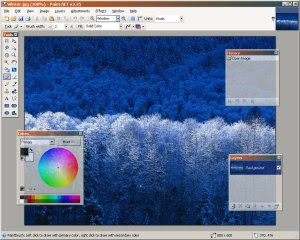
Paint.NET. It downloads smaller than GIMP and doesn't depend on GTK but uses Microsoft .NET 2.0, so it only runs in Windows. It doesn't support near as many formats and tools as GIMP. Lighter weight and easy to use, however, some still prefer Paint.NET over GIMP so it's worth mentioning here.

A useful tool for free vector graphics and diagraming similar to Visio is Inkscape. Some confuse Visio and Inkscape to be CAD programs. It's an easy mistake to make. What they really are is vector graphics tools, mainly for diagram creation. But Inkscape can also edit combined raster and vector files such as Acrobat PDF (let's see Visio do that). It favors open standards like SVG but can also read DXF. If you don't have Inkscape yet and are reading this Blog, you should go download it. Simple as that.

Another new project similar to Adobe Illustrator is Creative Docs .NET. At this time, the project lacks data exchange with other software, but it is still worth having in a pinch and it's free.

27 May 2008

progeCAD CAD Free CD Give Away Offer

CADDIT Software is offering a free CD to those requesting one within Australia and New Zealand. The complimentary CD provides the same trial version of our most popular CAD products. The CDs are for those who have problems to download the applications for one reason or another. There are free trail CDs available for:

progeCAD Professional 2008
T-FLEX CAD CAM Software

Users can request the free CAD Software CD trials on the CADDIT website HERE.

You should specify:
Name

Shipping Address
Which CD
Why download is not working for you

This is a limited offer to Australia and New Zealand customers only.

04 February 2008

progeCAD Smart! Free Personal CAD Released

ProgeCAD 2008 Smart! is available for download at:
http://www.caddit.net/progecad/smart.php
This is the long-awaited free successor to progeCAD LT 2006. Smart! is fully functional and powerful DWG based CAD software that is absolutely free for personal use only. There are no rivals on the world free CAD scene in terms of AutoCAD compatibility and functionality. Smart! derives it's features directly from the professional codebase of progeCAD. The software is easy to learn and simple to install. Some significant features of progeCAD include:

  • AutoCADr 2007/2008 DWG files completely compatible
  • Express tools availability
  • PDF format printing
  • Photorealistic Rendering
  • True Colour Support
  • eTransmit
  • Asiatic fonts support
  • ALE blocks management module with more than 10,000 blocks (separate download)

  • incredible enhancement of the services performances

Only some of these excellent features are included in Smart! The software may be freely downloaded by anyone. It may be made available on websites and reviewed on the Media without any limitation. Commercial or business use of any kind, however, is prohibited. No commercial license is granted for Smart!
Ethical Business - Like its predecessor progeCAD LT 2006 the software is related to a charitable initiative in favour of Doctors Without Borders for the Darfur, a westernSudan region in Africa, that endures a humanitarian crisis without precedents. All of the users that want to help us in the initiative can carry out some donations. Donations do not limit in any way the free usage of the software.
CADDIT Pty Ltd is legally based in Sydney, Australia and provides a wide range of design solutions, ranging from consulting to design contracting, software development and sales. They can be contacted via their online website at

http://www.caddit.net.
ProgeSOFT SAS Como, Italy has been specializing in CAD for the last 18 years and is an executive member of the IntelliCADr Technology Consortium.
c CADDIT Pty Ltd Australia. All other trademarks are the property of their respective owners.

Google.